Kubernetes For Beginners ⎈
Hey Everyone, welcome to the new blog. In today's blog we are going to learn about kubernetes. So without wasting time let's get started.
Monolithic v/s Microservices
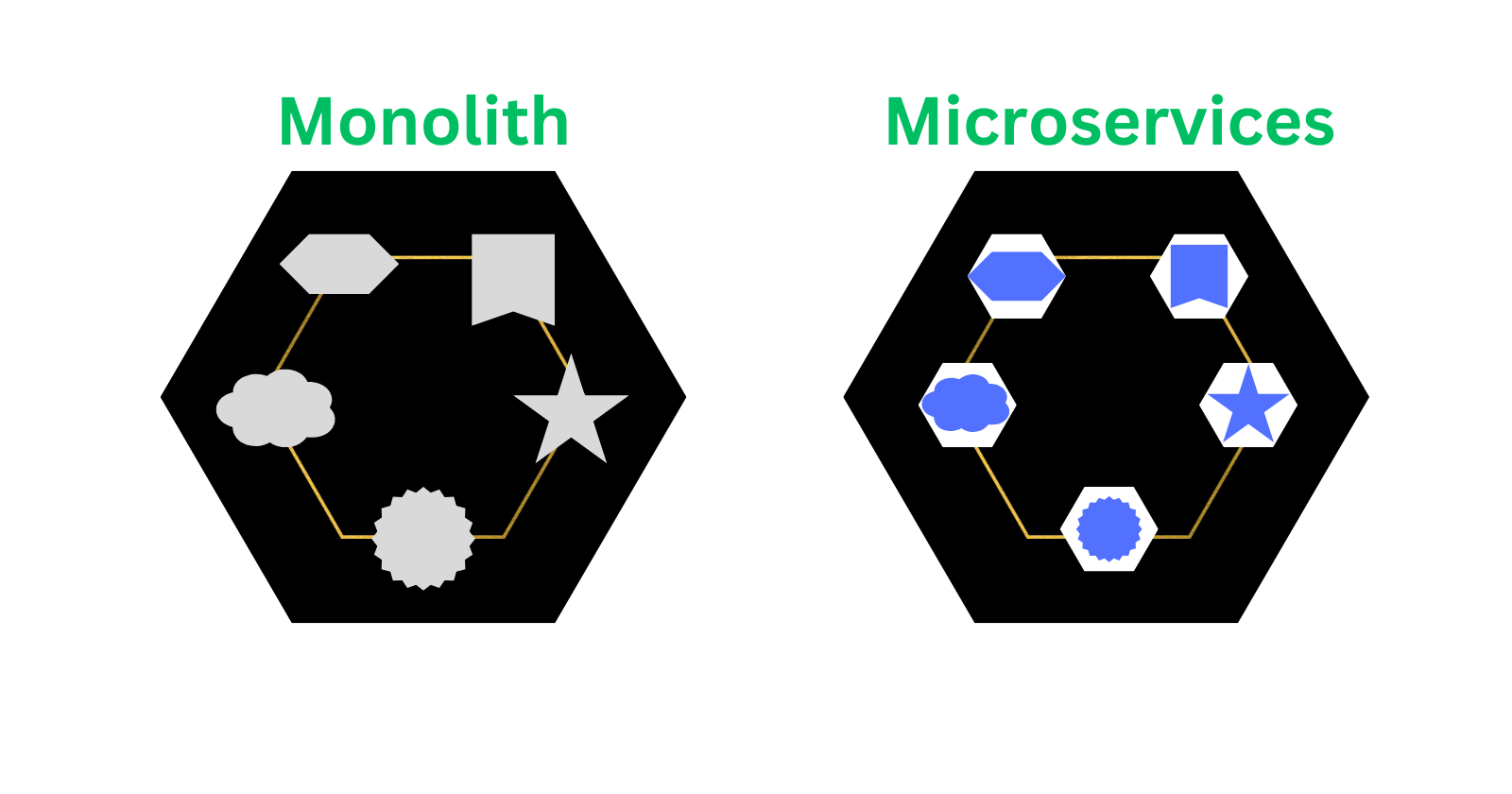
There are several resources around monolithic and microservice so I will attempt to make it as short and simple as possible.So assume you have an application with frontend, backend, database etc and you containerize your whole application in a single container then that is referred as a monolithic architecture. So if your container crashes your whole instance of that application crashes. Now the opposite is that you containerize every component of your application and link them to each other, now this every containerized component of application is referred to as microservice. (Refer the below image for better clarity)
What is Orchestration?
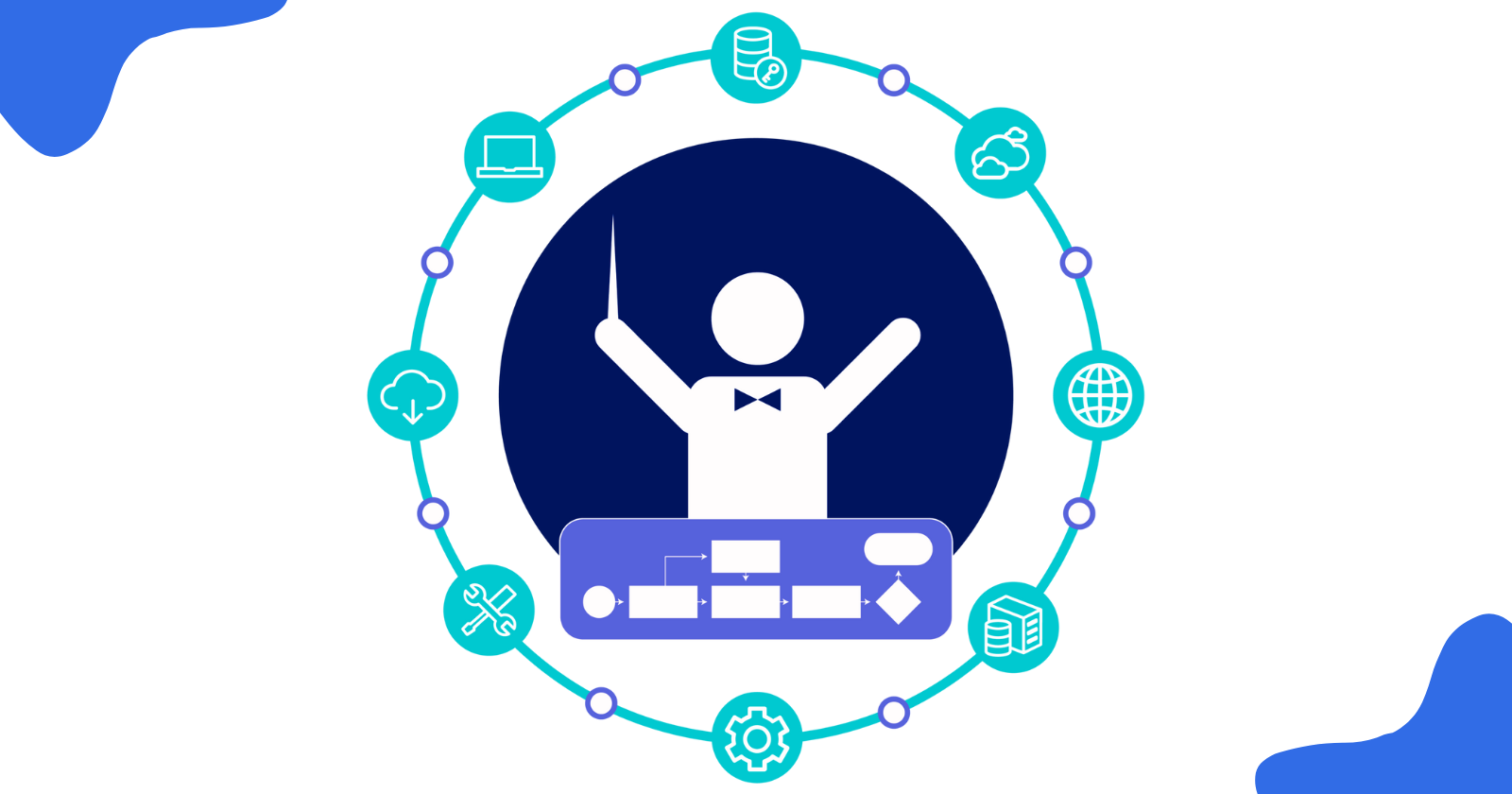
Orchestration has several meanings. You can view it as an automation process which assists us in deploying and maintaining the application. So the orchestrator will continue to search for something amiss with your deployment and attempt to self heal, scale so that your production damages to it's minimal. You can visualize it as the orchestrator in an orchestra who has to compose a melody and keep watching over it.
What is Kubernetes?
Kubernetes also referred to as k8s (Fun fact: It is named k8s becuase it has 8 letters between K & S in word Kubernetes) is commonly referred to as Container orchestrator but Kubernetes is not only container orchestrator that means it assists you in orchestrating the containers and add some extra features like
Deploy your application.
Turn on zero downtime updates (Also referred to as rolling updates).
Scales your application dynamically with traffic increasing or decreasing.
Self heals containers and other services.
Run it on our own machine/cloud.
Run it on public cloud providers.
Scales from one cloud provider to other.
Can also replicate services, scale those services.
You can also use Volumes.
One of the standout feature is load balencing.
Kubernetes Cluster
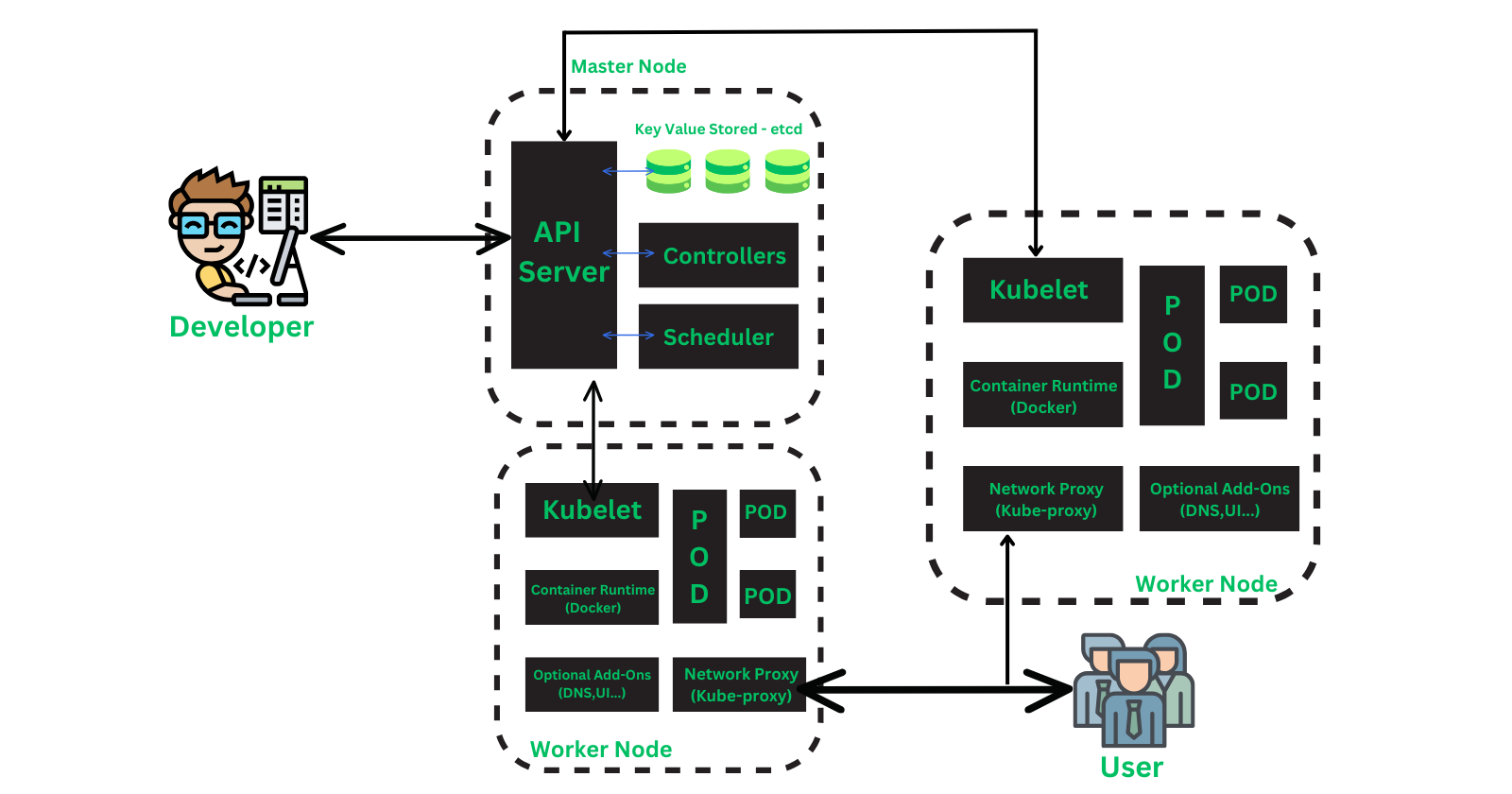
Cluster is the most outter box that contains everything. Cluster is just a bunch of Control Plane and Worker nodes. (See the diagram below with the explaination in the blog to get good intuition about the architecture).
KubeCtl (CLI)
This is a command line interface tool given to us so we can interact with our control plane do apply and make the changes. Optionally if you don't wish to deal with cli there are also few gui available you can look into. KubeCtl needs to be installed on your local system in order to speak to the API server in the control plane.
Control Plane
API Server: All the communication will happen via api server. It listens to requests on
HTTPSand port443Controller Manager: So if the instruction is to deploy 5 pods then controller will do it but controller manager will manage and take care of the controller. It has 4 functions
Desired state: Sees whats the desired state of the server being informed by the API server for the controller.
Current State: Checks constantly if the operations are according to the desired state.
Differences & Make changes: Listen to the changes & make the changes as being requested by api server.
Scheduler: This is responsible for physically scheduling the processes. It inspects the worker nodes and schedules the things accordingly.
etcd: It's the database that contains the infomation about the cluster so if the API server wants to get the information about the cluster the it will communicate with etcd.
Worker node
Kubelet: Exchanges information with Container Runtime and with Control Plane API server. Whenever a new worker node is made and added to the control plane, kubelet is deployed on it.
Kube-Proxy: Communicates with Control Plane API server. Kube proxy is responsible for networking. This will allocate ip addresses to the worker node/ nodes.
Container Runtime
Pod: It is the smallest scheduling unit. It keeps track of the health of the container, restarts one if one has died etc. This is kind of like the controller manager (in the larger picture). Containers are within a pod.
Container: It's a simple container running your application or service inside it. Container is a isolated environment to build and run your application.
Steps to run applications on Kubernetes
Create microservices.
Containerize your microservices.
Put container in pods.
Deploy these pods to controllers.
All required installations
Command Cheatsheets
Kubectl commands
$ kubectl version --client

$ kubectl get pods

$ kubectl get nodes

# Shows information about the cluster
$ kubectl config view

# get everything like pods
$ kubectl get all

$ kubectl get deployments

$ kubectl create -f <pod-config yaml file>

# Get more info in wide format
$ kubectl get pod <pod-name> -o wide

# Get more info in yaml format
$ kubectl get pod <pod-name> -o yaml

# Port forwarding like docker
$ kubectl port-forward nginx-pod 8080:80

# Gets the replica sets
$ kubectl get rs view

# Get services
$ kubectl get services

# Apply the configurations to the k8s cluster
$ kubectl apply -f <file_name>.yml

# See the rollout history of the deployment
$ kubectl rollout history deploy/<name-of-deployment>

# Rollback to previous versions of the deployment
$ kubectl rollout undo deploy/<name-of-deployment> --to-revision <no-of-revision-from-history-command>
Minikube commands
$ minikube start

$ minikube status

$ minikube dashboard

$ minikube docker-env

# will switch to bash prompt of minikube
$ minikube ssh
Well that is it, that is just about the stuff that circulates inside kubernetes. You will get and appreciate it more once you deploy and run your application on it. Believe me the best way to learn and know kubernetes is from hands-on practice. Want to create an application and deploy it to your own cluster? Watch this space on my blog page and there could be something for you in near future.😊
References
Thank you so much for reading 💙
Like | Follow | Subscribe to the newsletter.
Catch me on my socials here: https://bio.link/yashpawar


